 Gauge Recall
Guide
Gage calibration software for small shops: what it should do
What gage calibration software should do for a 20-150 person machine shop, when a spreadsheet is still enough, and what to ask before you buy.
If you are the quality manager at a small machine shop, the gauge list is probably a spreadsheet you inherited. It has a row per caliper, micrometer, pin gauge set and height gauge, a "next due" column, and a habit of being right until the week before an audit. Gage calibration software promises to take that habit off your plate. Some of it does. Some of it is the same spreadsheet with a login.
This guide covers what the job actually involves, when a spreadsheet is still the right tool, and what to check before you pay for software. It is written for shops of roughly 20 to 150 people working to ISO 9001 or AS9100, where the quality manager is also the person who walks the floor collecting calipers.
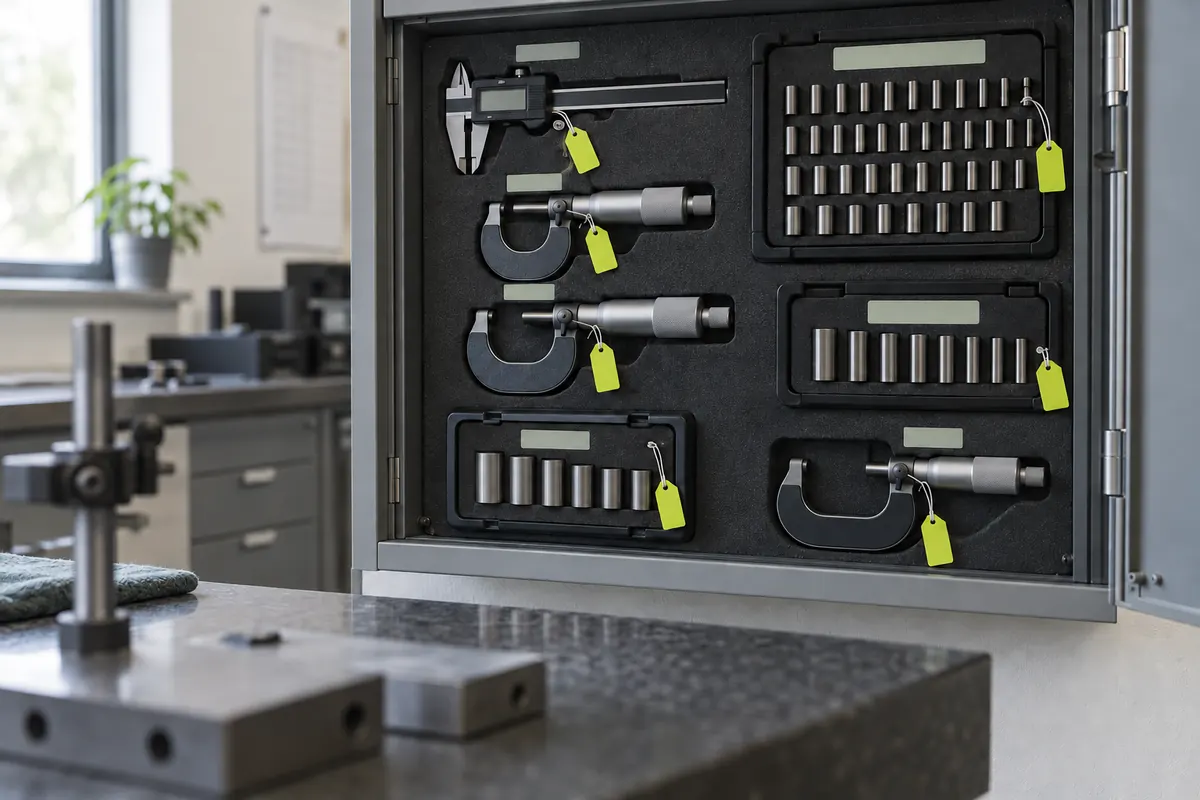
What gage calibration actually involves
Whatever tool you use, the work comes in five parts:
- Keep the list. Every instrument that measures product gets a unique ID, a description, a serial number, a location, an owner and a calibration interval.
- Know what is due. Someone has to look at the list often enough to see what comes due in the next few weeks, not just what is already overdue.
- Get the gauge back. The gauge is in a toolbox on second shift. Someone has to ask its owner for it, or walk out and get it.
- Calibrate and record. In-house against your masters, or out to a lab. Either way the record needs the date, the result as found and as left, what it was checked against, and who did it.
- Act on a failure. When a gauge is found out of tolerance, you need to decide what that means for parts measured with it since its last good calibration.
Most shops do parts 1 and 4 well. Parts 2 and 3 are where gauges slip past their due dates, because they depend on someone remembering to sort a spreadsheet and send emails every week.
When a spreadsheet is enough
A spreadsheet is a reasonable tool when:
- you have a few dozen gauges and one person who checks the list every week without fail;
- almost everything is calibrated in-house by that same person;
- your auditor has accepted your current records and nothing has slipped.
If that is you, a well-built sheet is fine. Our calibration log template guide lists the columns and formulas that make one hold up.
A spreadsheet starts to fail when the list grows past what one person checks weekly, when gauges are spread across cells and shifts, when the person who kept it leaves, or when certificates from the lab live in an email inbox instead of next to the gauge they belong to. Nothing in a spreadsheet stops a gauge being used past its due date, and nothing in it tells the operator holding that gauge.
What gage calibration software should do
Use this as a checklist when you compare tools.
- Imports your existing list. You should not have to retype 300 gauges. It should take your spreadsheet as it is, whatever your columns are called, and show you what it could not read before saving anything.
- Tells people what is due, without being asked. A dashboard you have to open is a spreadsheet with better colors. The useful version emails the quality manager and each gauge owner what is coming due.
- Logs in-house calibrations where the work happens. A phone or a shop-floor terminal, not a desk upstairs. Date, as found, as left, master used, pass or fail, initials.
- Handles lab certificates. Each certificate is filed against the right gauge, its dates update the due date, and the PDF stays with the record.
- Keeps history append-only. A calibration record should never be edited in place. A correction is a new record that points at the old one, and both stay visible. Auditors look for this.
- Tracks out-of-tolerance follow-up. When a gauge is found out of tolerance, the tool should open a review that stays visible until someone records what was done about parts measured with it.
- Prints the master list. Your auditor will ask for the list of every active gauge with its last and next calibration. You should be able to hand it over in under a minute.
- Lets you leave. You can export gauges, calibrations and files at any time.
Questions to ask before you pay
How is it priced? Common models are per seat, per gauge, a quality-suite plan with gauges as one module, or a flat monthly fee. Work out the cost for your real number of gauges and the people who need to touch them, including the operators who only need to know what is due.
Who has to log in? If every gauge owner needs an account to see their own gauges, either you pay for seats or the owners never look. Ask how an operator on the floor finds out a gauge in their box is due.
What does setup involve? Some tools need weeks of implementation or a consultant. For a shop this size you should be able to load your list and be running in an afternoon.
What does it do with a lab certificate? Some tools only attach the PDF. Others read the dates from it. Ask whether anything is filed without a person confirming it, because a misread due date is worse than no date.
Does it validate for regulated work? If you make medical devices under FDA rules, you may need software validation and electronic-signature controls that a general shop tool does not claim. Ask directly rather than assume.
Where software stops and judgment starts
No tool decides your calibration intervals, your acceptance criteria or what to do about parts measured with a failed gauge. Those are your quality system's decisions, and your customers' requirements and your registrar can change them. AS9100 shops, defense suppliers and shops with customer-specific requirements will often have obligations beyond ISO 9001's. Software can make sure every gauge has a due date, that people hear about it in time, and that the record is complete. The decisions stay with you.
Where Gauge Recall fits
Gauge Recall is built for the reminding. You paste your gauge list from Excel or upload a CSV, map the columns, and check a preview before anything is saved. Every Monday the quality manager gets the full list of what is overdue and due in the next 30 days, and each gauge owner gets an email with only their own gauges, plus alerts 14 days before a gauge is due and on the due date. Owners log an in-house calibration from a link on their phone. Lab certificates are uploaded, their dates read and matched to the gauge, and filed only once you confirm. The master list prints for the auditor. It does not do gage R&R studies, measurement uncertainty, ERP integration or Part 11 validation.
If you are comparing options, run the checklist above against each one, including ours.
Know which gauges are due before your auditor does
Import your gauge spreadsheet. Every Monday the quality manager and each gauge owner get what is due in the next 30 days, and the master list is ready to print for your audit.
$79/ month
Get startedCancel any time.